By ArtbySona | Featuring Artist Sona Dubey
Introduction: Why Many Beginner Digital Artists Quit Too Early
Many beginners start digital art with excitement.
They buy a drawing tablet, download apps like Procreate or Photoshop, and begin drawing characters, portraits, or illustrations.
But after a few weeks, something frustrating happens.
The drawing doesn’t look the way they imagined.
Lines look awkward.
Faces look strange.
Shading looks flat.
Most beginners think:
“Maybe digital art is not for me.”
But the truth is different.
The problem is not talent — it’s missing foundational drawing skills for digital artists.
Even professional artists like Sona Dubey (ArtbySona) built their skills step-by-step by mastering the basics first.
If you want to improve faster, the solution is simple:
Learn the core drawing skills that every digital artist needs.
15 Essential Drawing Skills Every Digital Artist Must Learn
1. Observation Skills
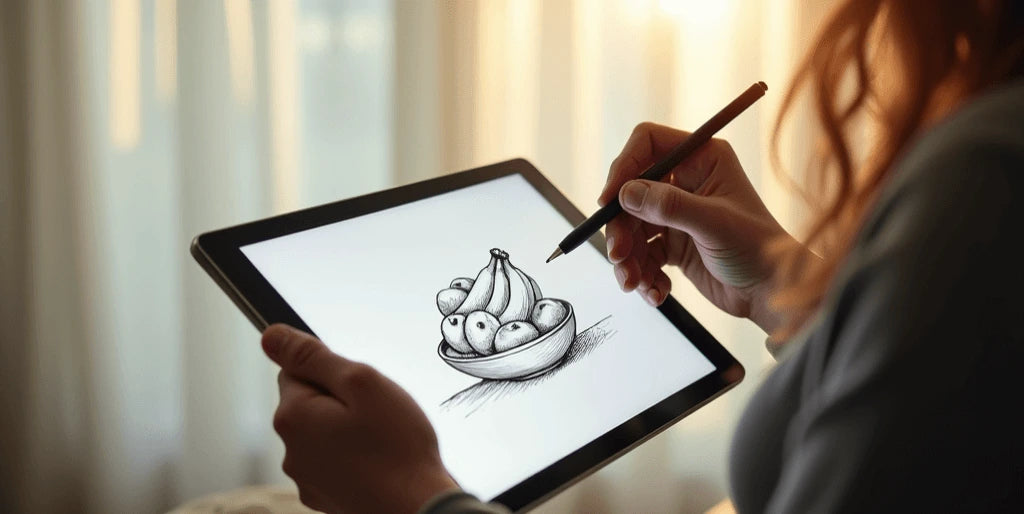


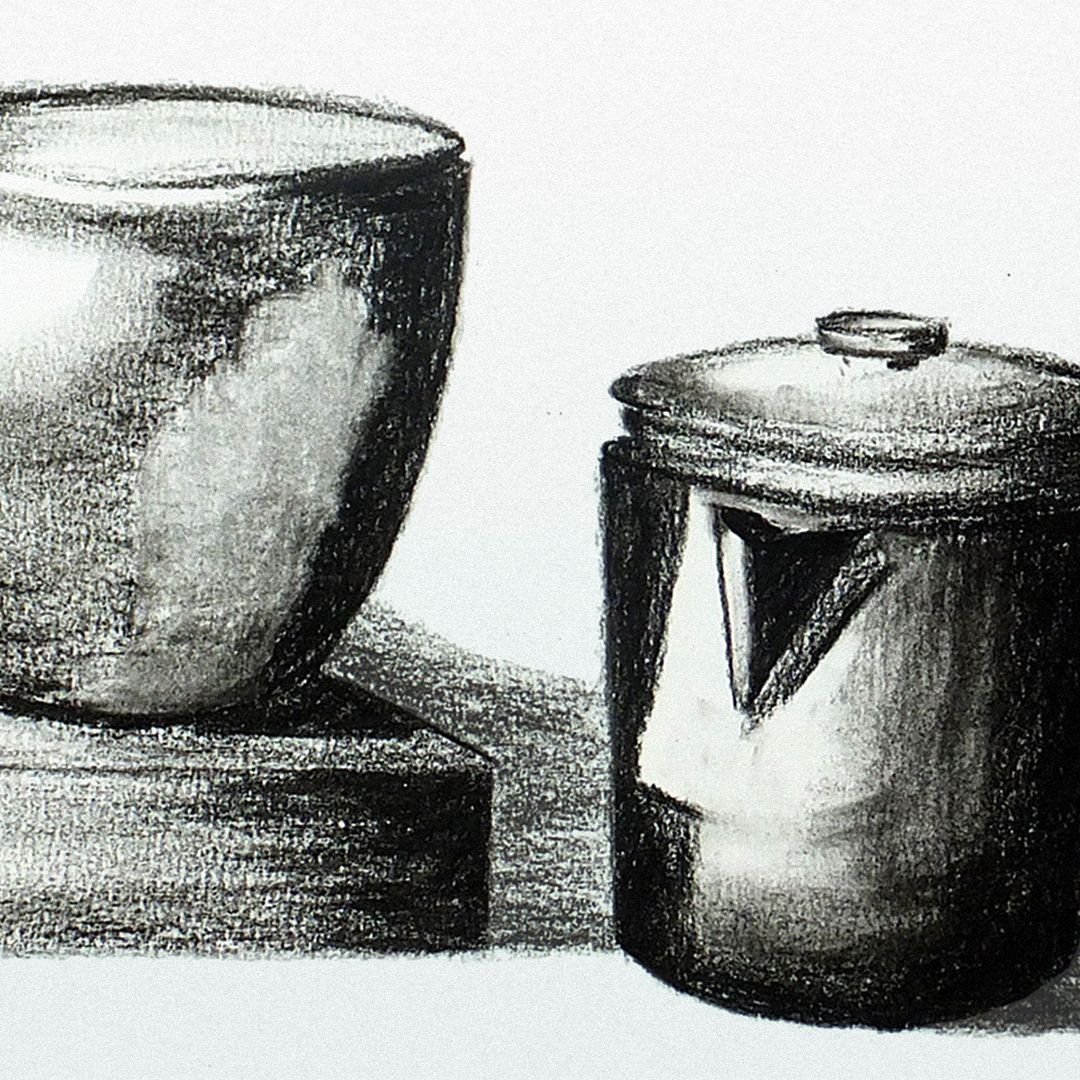
Great artists are great observers.
Before drawing anything, train your eye to notice:
- Shapes
- Light and shadow
- Proportions
- Texture
For example, if you are drawing a cup on a table, observe how light hits one side and creates shadow on the other.
Practicing observation improves accuracy in digital illustrations.
Image SEO
Filename: observation-skills-digital-art.jpg
Alt text: observation skills practice for digital artists
Title: Observation practice for digital drawing
Caption: Training observation helps digital artists draw accurately.
2. Basic Shape Construction

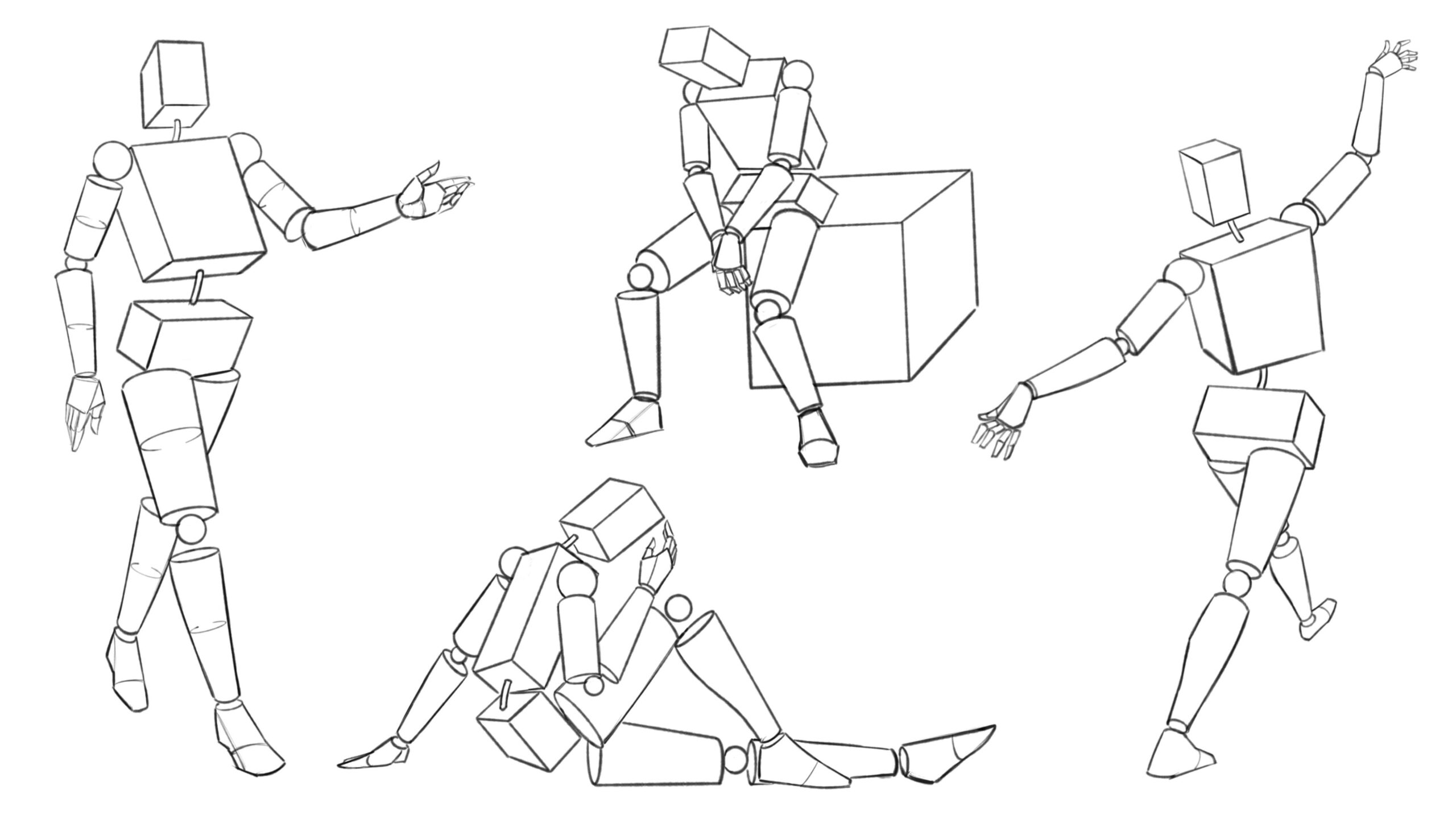
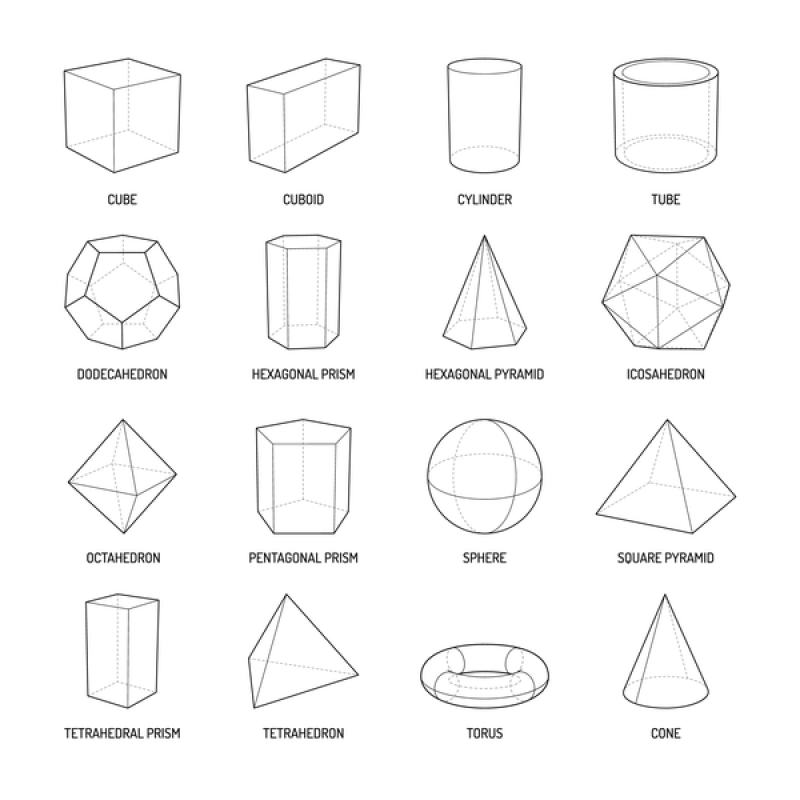

Everything you draw can start with simple shapes.
A human head = circle + jaw shape
A body = rectangles and cylinders
Professional digital artists always begin with basic shapes before details.
This makes complex drawings easier to manage.
Image SEO
Filename: basic-shapes-drawing-fundamentals.jpg
Alt text: basic shapes used in digital drawing fundamentals
Title: Basic shape construction in drawing
Caption: Artists use simple shapes to build complex drawings.
3. Line Control
Clean lines are essential in digital art.
Practice drawing:
- Straight lines
- Curved lines
- Confident strokes
Instead of sketching tiny lines repeatedly, try drawing one confident stroke.
Apps like Procreate or Clip Studio Paint allow stabilization, but strong line control still matters.
4. Understanding Proportion
Proportion means the size relationship between different parts of a drawing.
For example:
- Eyes should align correctly on a face
- Arms should match body length
- Objects should match perspective
Beginners often make heads too big or arms too short.
Learning proportions fixes these problems.
5. Perspective Drawing


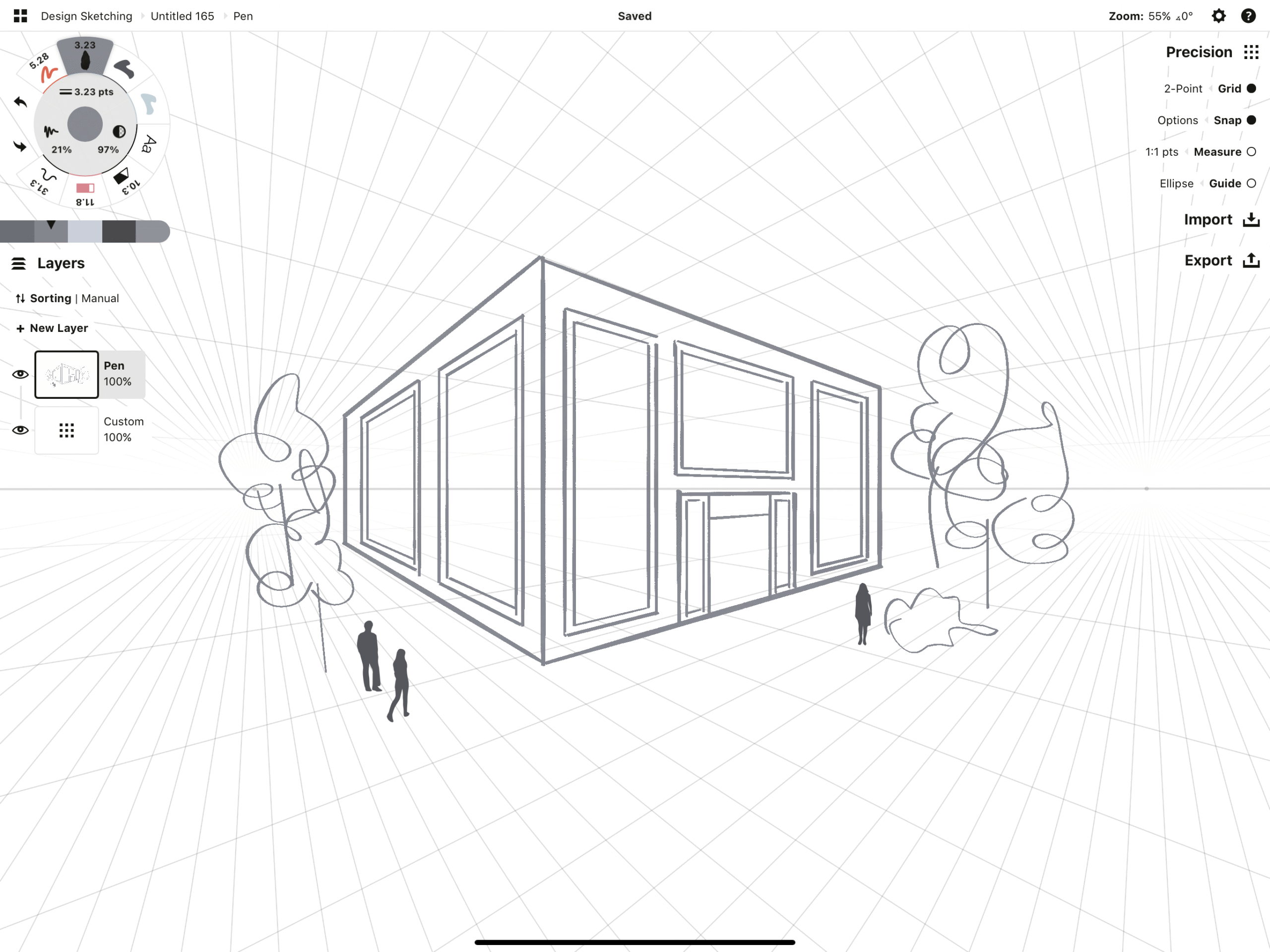
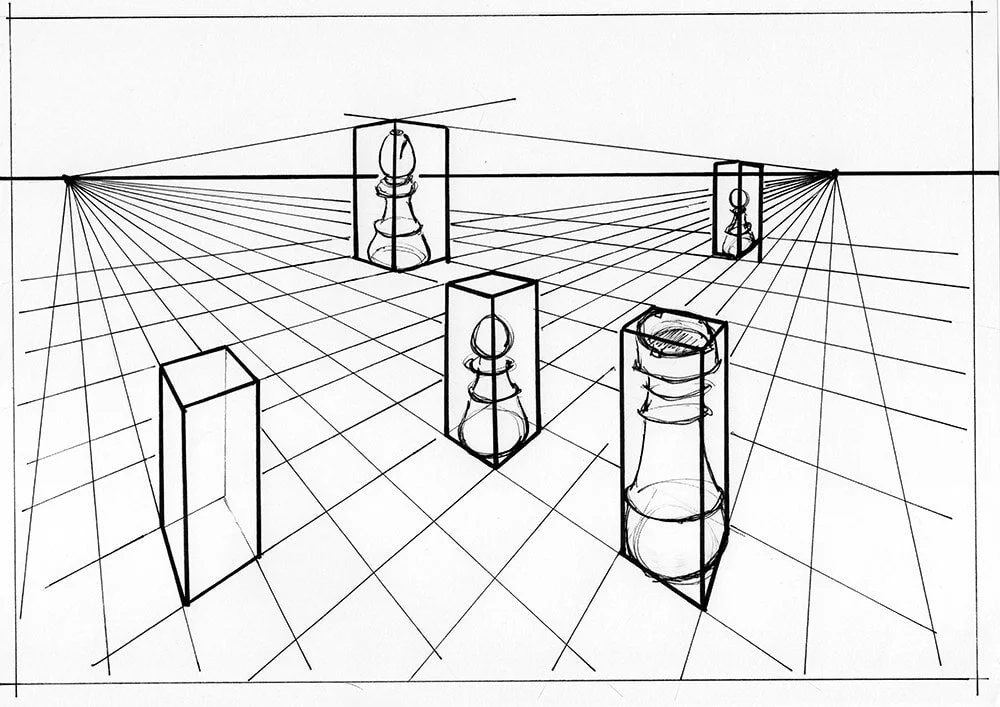
Perspective gives drawings depth.
Without perspective, drawings look flat.
Start with:
- 1-point perspective
- 2-point perspective
Example:
Drawing a road disappearing into the distance requires perspective lines.
This skill is extremely important for background illustrations and environment art.
Image SEO
Filename: perspective-drawing-guide.jpg
Alt text: one point perspective drawing example for beginners
Title: Perspective drawing fundamentals
Caption: Perspective lines create depth in digital art.
6. Gesture Drawing
Gesture drawing captures movement and energy.
Instead of focusing on details, gesture drawing focuses on:
- Action
- Flow
- Body movement
Artists often practice 30-second gesture sketches.
This improves character drawing significantly.
7. Anatomy Basics
If you draw people or characters, anatomy is crucial.
Start with:
- Skeleton structure
- Body proportions
- Joint movement
Understanding anatomy helps digital artists create natural-looking poses.
8. Light and Shadow (Shading)

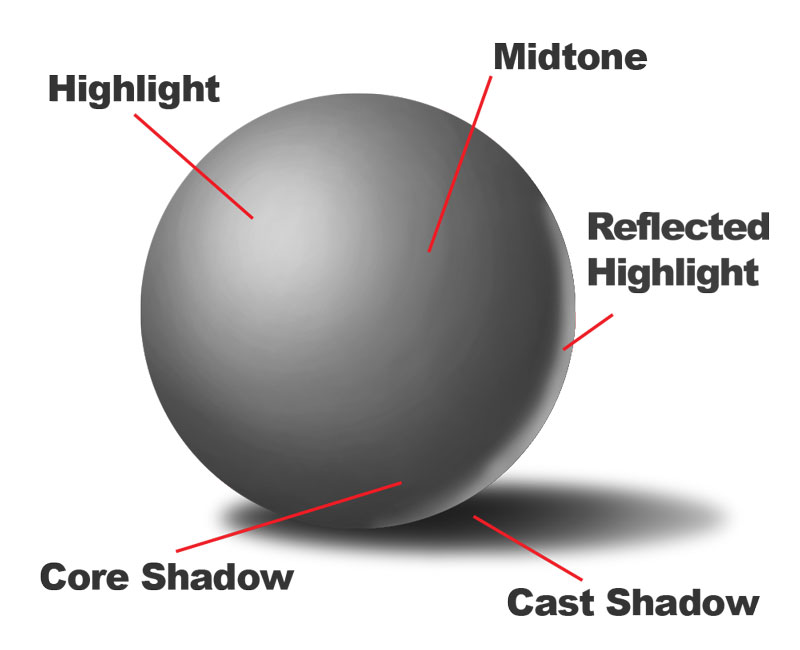

Shading brings drawings to life.
Digital artists must understand how light behaves.
Important concepts include:
- Light source
- Cast shadow
- Core shadow
- Highlights
Practice shading simple shapes like spheres and cubes first.
Image SEO
Filename: shading-light-shadow-drawing.jpg
Alt text: light and shadow shading practice sphere drawing
Title: Light and shadow in digital drawing
Caption: Shading creates depth and realism in illustrations.
9. Composition
Composition means arranging elements in your artwork.
Good composition guides the viewer’s eye.
Common techniques include:
- Rule of thirds
- Leading lines
- Framing
10. Color Theory
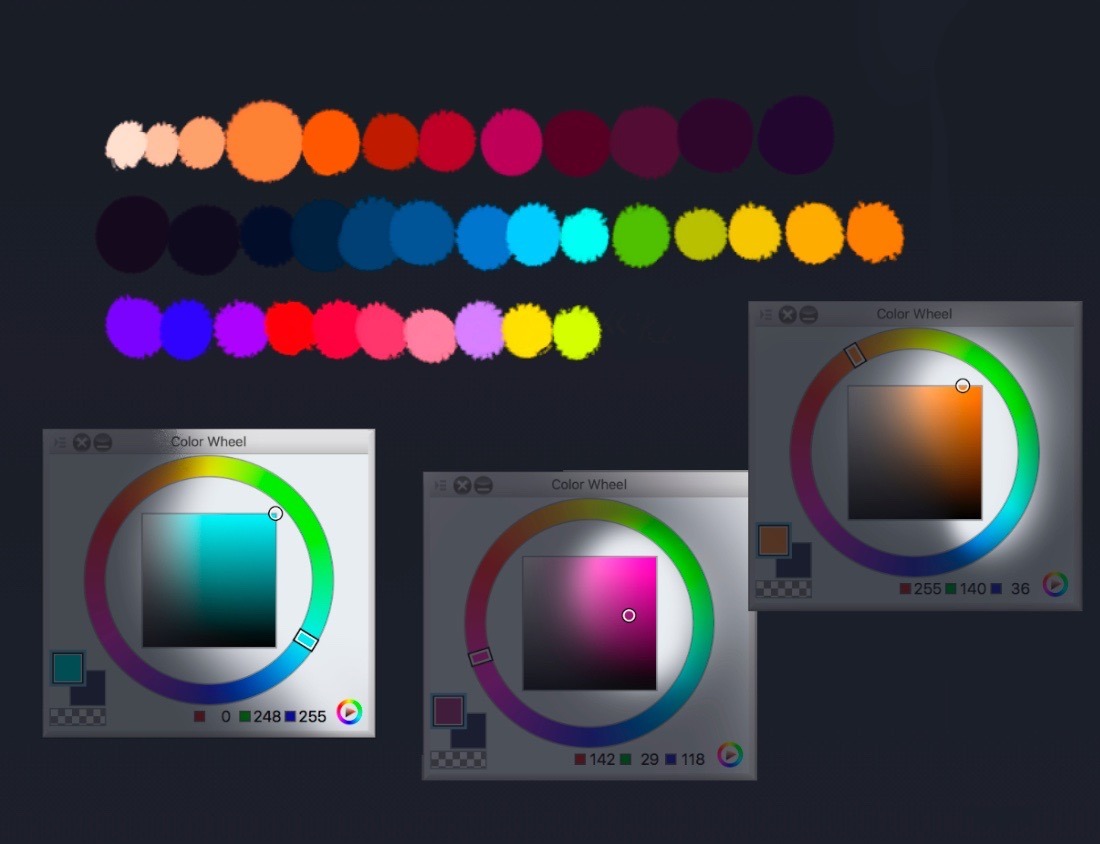


Digital artists must understand color relationships.
Important color concepts include:
- Warm vs cool colors
- Complementary colors
- Color harmony
Example: orange and blue work well together.
Image SEO
Filename: color-theory-digital-art.jpg
Alt text: color wheel showing color harmony for digital artists
Title: Color theory for digital artists
Caption: Understanding color relationships improves digital artwork.
11. Texture Creation
Digital art allows artists to create textures such as:
- Fabric
- Skin
- Metal
- Wood
Texture makes illustrations more engaging.
12. Digital Brush Control
Learning brush settings helps artists create different effects:
- Opacity
- Flow
- Pressure sensitivity
- Texture brushes
13. Layer Management
Professional artists separate layers like:
- Sketch
- Line art
- Base color
- Shadows
- Highlights
This keeps artwork organized.
14. Detailing
Details include:
- Hair strands
- Clothing folds
- Texture patterns
- Highlights
But remember:
Always finish structure first.
15. Consistent Practice
Try this weekly practice routine:
Day 1 — Gesture drawing
Day 2 — Perspective practice
Day 3 — Anatomy sketches
Day 4 — Shading exercises
Day 5 — Color studies
Day 6 — Full illustration
Day 7 — Review your work
Consistency builds real improvement.
Step-by-Step Guide to Improve Drawing Skills Faster
Step 1 — Start with basic shapes
Step 2 — Practice line control daily
Step 3 — Study real objects
Step 4 — Use references
Step 5 — Analyze mistakes
Common Mistakes Beginner Digital Artists Make
1. Starting details too early
Always build structure first.
2. Ignoring fundamentals
Software tools cannot replace drawing basics.
3. Not using references
References improve accuracy.
4. Random practice
Follow a structured routine.
5. Comparing yourself to experts
Every professional artist started as a beginner.
How Artists Like Sona Dubey Improve Their Skills
Artists like Sona Dubey from ArtbySona focus on:
- studying fundamentals
- practicing daily
- experimenting with styles
- learning digital tools
Growth in digital art comes from consistent learning and practice.
Final Thoughts
Becoming a skilled digital artist takes time.
But mastering drawing skills for digital artists builds a strong foundation.
Focus on:
- Observation
- Shapes
- Perspective
- Anatomy
- Shading
- Color theory
Practice consistently, and your art will improve faster than you expect.
Remember:
Every great digital artist once started with a simple sketch.
Also Read:
- How to Build a Digital Art Portfolio
- Digital Art vs Traditional Art – 2026
- 20 Daily Digital Drawing Prompts
- How to Improve Digital Art Skills Faster
- 10 Beginner Digital Painting Techniques

Sona Dubey is a digital artist with 5+ years of experience in illustration and devotional art. She is the founder of ArtBySona where she shares digital art tutorials, drawing exercises, and beginner-friendly guides to help artists improve their skills.