By Sona Dubey | Founder of ArtbySona
Focus Keyword: free digital art brushes
Search Intent: Informational
Audience: Beginner digital artists, students, hobby artists, local art business owners
You Download Brushes… But Your Art Still Looks Flat?
Many beginner digital artists go through this phase.
You download a pack of free digital art brushes, open your drawing app, and expect your artwork to instantly look better.
But it doesn’t.
The shading still feels dull.
The textures look artificial.
And the final artwork lacks that “professional feel.”
A beginner artist from Delhi once shared that he had downloaded over 200 brushes, but his artwork still didn’t improve.
The problem wasn’t the tools.
The problem was not knowing which brushes actually matter and how to use them properly.
That’s exactly what this guide will solve.
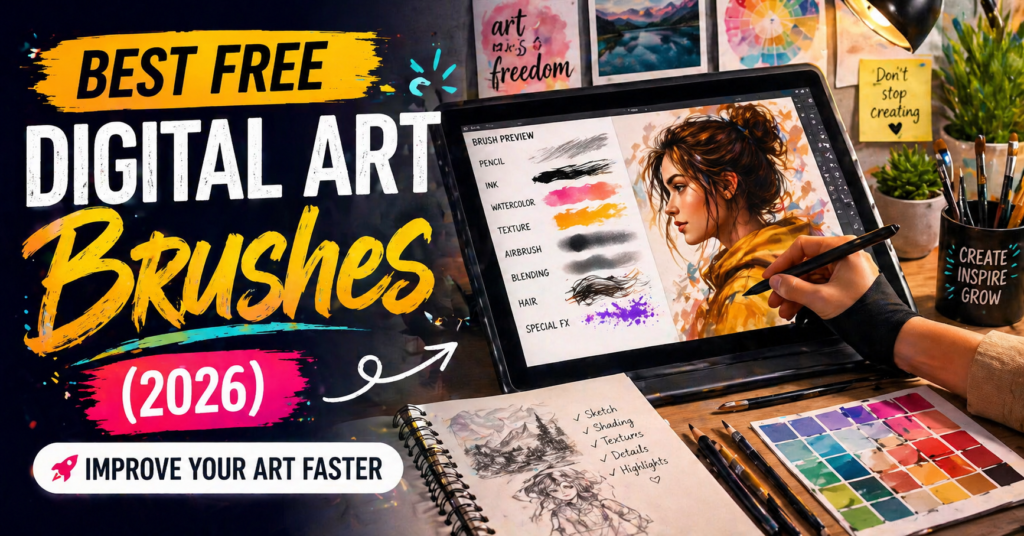
In this article, you’ll discover the best free digital art brushes in 2026, how to use them, and how to improve your artwork using the right brush techniques.
Why Free Digital Art Brushes Matter
You don’t need expensive tools to create amazing art.
Many professional artists use:
• Free brushes
• Basic brush settings
• Simple tools
What matters is how you use them.
The right brush can help you:
✔ Create smoother shading
✔ Add realistic textures
✔ Improve line quality
✔ Speed up your workflow
That’s why choosing the right free digital art brushes is important for beginners.
Types of Digital Art Brushes Every Artist Needs
Before downloading random brush packs, understand the essential brush types.
1. Hard Round Brush (Most Important)


This is the most basic and powerful brush.
Used for:
• Sketching
• Line art
• Blocking shapes
Many professional artists use only this brush.
If you master it, you can create almost anything.
2. Soft Round Brush


Perfect for:
• Smooth shading
• Skin tones
• Lighting effects
This brush helps create soft transitions between colors.
3. Texture Brushes


Used for:
• Adding surface detail
• Creating realism
• Background textures
These brushes are great for landscapes and concept art.
4. Pencil Brushes


Perfect for:
• Rough sketches
• Concept ideas
• Practice drawings
They give a traditional drawing feel.
5. Ink Brushes


Used for:
• Clean line art
• Comic-style drawings
• Illustrations
They produce sharp and bold lines.
Best Free Digital Art Brushes in 2026
Now let’s explore some of the best free digital art brushes available for different software.
1. Krita Default Brushes
Krita comes with powerful built-in brushes.
Best for:
• Beginners
• Digital painting
• Sketching
Popular brushes:
• Basic Round
• Wet Paint Brush
• Texture Brush
These brushes are completely free and very versatile.
2. Procreate Free Brushes
If you use Procreate, you already have amazing brushes.
Best ones include:
• Studio Pen
• Soft Brush
• 6B Pencil
Many artists never need extra brushes.
3. Photoshop Free Brush Packs
You can find free Photoshop brushes online.
Popular categories:
• Watercolor brushes
• Grunge brushes
• Ink brushes
These help create different artistic styles.
4. Clip Studio Paint Free Brushes
Clip Studio has a large library of free brushes.
Best for:
• Manga art
• Illustration
• Comic drawing
You can download brushes from their asset store.
5. Custom Brushes by Artists
Many artists share free brushes online.
These brushes often include:
• Skin texture brushes
• Hair brushes
• Lighting brushes
Studying how these brushes are used can improve your skills.
How to Use Free Digital Art Brushes Effectively
Downloading brushes is easy.
Using them properly is what matters.
Step-by-Step Guide
Step 1 – Start With 2–3 Brushes
Avoid using too many brushes.
Start with:
• Hard round
• Soft round
• One texture brush
Step 2 – Practice Brush Control
Spend time practicing:
• Pressure sensitivity
• Line thickness
• Stroke consistency
This improves control.
Step 3 – Focus on Lighting
Brushes don’t create realism.
Lighting does.
Use brushes to:
• Build shadows
• Add highlights
• Create depth
Step 4 – Experiment Slowly
Try new brushes one at a time.
Understand what each brush does.
Real Example: Beginner to Improved Artist
A student from Mumbai started learning digital art using only:
• Basic round brush
• Soft shading brush
Instead of downloading many brushes, he focused on:
• Lighting
• Composition
• Practice
Within a few months, his artwork improved significantly.
This shows that skill matters more than tools.
Common Mistakes When Using Free Digital Art Brushes
Avoid these mistakes to improve faster.
Using Too Many Brushes
Too many tools create confusion.
Depending on Brushes for Quality
Brushes don’t fix bad fundamentals.
Overusing Texture Brushes
Too much texture makes artwork messy.
Ignoring Fundamentals
Focus on:
• Shapes
• Lighting
• Perspective
Copying Brush Settings Blindly
Understand how brushes work instead of copying settings.
How Brushes Help in Different Art Styles
Different styles require different brushes.
Realistic Art
Use:
• Soft brushes
• Texture brushes
Cartoon / Stylized Art
Use:
• Hard brushes
• Ink brushes
Concept Art
Use:
• Texture brushes
• Custom brushes
Inspiration From Artist Sona Dubey (ArtbySona)
Artists like Sona Dubey (ArtbySona) create elegant digital artwork using balanced techniques rather than relying on complex tools.
Her approach focuses on:
• clean composition
• controlled brushwork
• soft lighting
This shows that mastering basic free digital art brushes is enough to create professional-quality artwork.
How to Choose the Right Brushes for You
Ask yourself:
What do I draw most?
If you draw portraits:
→ Use soft brushes
If you draw line art:
→ Use ink brushes
If you draw environments:
→ Use texture brushes
Choosing the right brush depends on your style.
Simple Daily Practice With Brushes
Try this routine:
Day 1 – Sketch using pencil brush
Day 2 – Practice shading using soft brush
Day 3 – Add texture to objects
Day 4 – Create a small artwork
Repeat weekly.
Conclusion: Brushes Don’t Make Art — Artists Do
Free digital art brushes are powerful tools.
But they are just tools.
What truly improves your artwork is:
• consistent practice
• understanding fundamentals
• observing real-world lighting
Start simple.
Use fewer brushes.
Focus on learning.
Whether you are a beginner, student, or building your art brand like ArtbySona, mastering the right brushes will help you create better digital artwork.
Your Next Step
Open your drawing app today.
Choose just two brushes:
• Hard round
• Soft round
Create a simple artwork.
That small step can begin your journey toward mastering digital art.

Sona Dubey is a digital artist with 5+ years of experience in illustration and devotional art. She is the founder of ArtBySona where she shares digital art tutorials, drawing exercises, and beginner-friendly guides to help artists improve their skills.