By ArtbySona | Featuring Artist Sona Dubey
Introduction: Why Many Beginner Digital Artists Quit Too Early
A student buys a drawing tablet.
They open software like Procreate, Krita, or Photoshop.
After watching a few YouTube tutorials, they start drawing… but the result looks nothing like what they imagined.
The lines feel messy.
The colors look dull.
And the artwork feels flat.
Many beginners think “Maybe I’m just not talented.”
But the truth is different.
Most beginners simply repeat the same digital art mistakes that slow down their progress.
Even professional artists like Sona Dubey (ArtbySona) made these mistakes during their early learning stage.
The good news?
Every mistake has a simple fix.
In this guide, you will learn 10 common digital art mistakes beginners make and how to fix them step by step so you can improve faster.
1. Starting Without a Proper Sketch
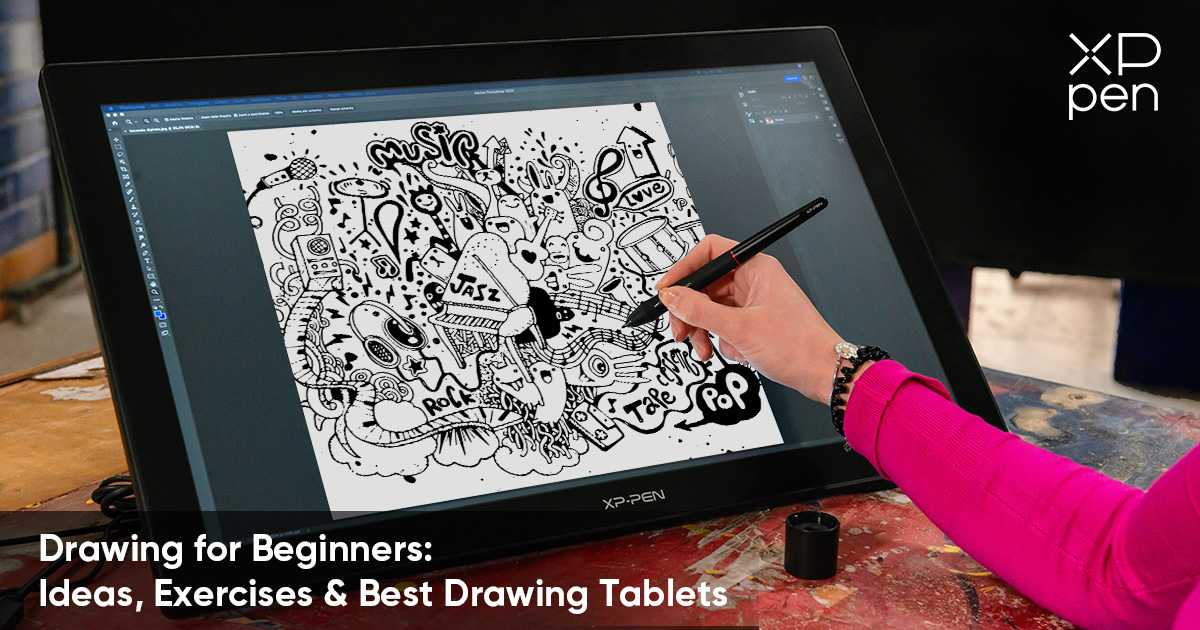
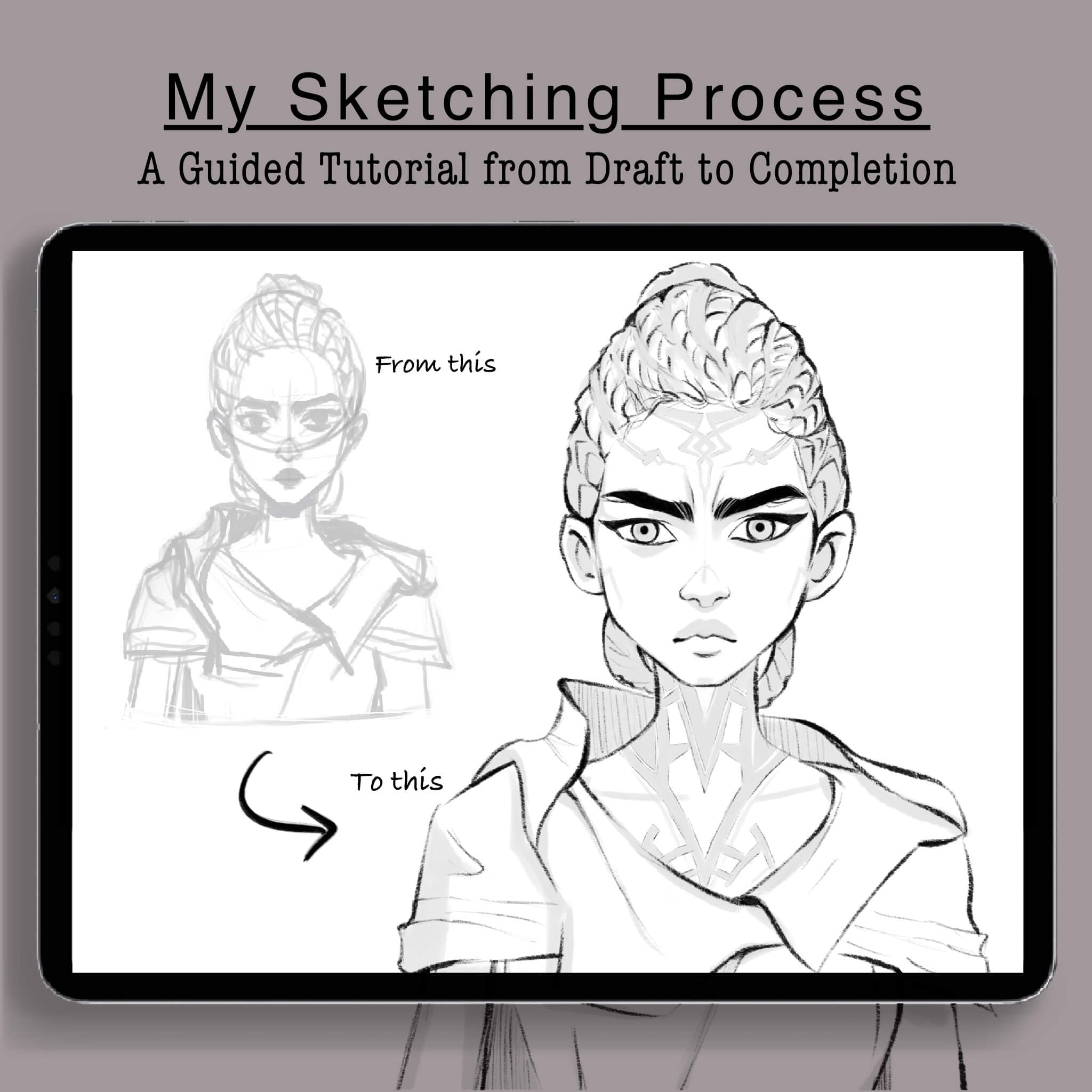

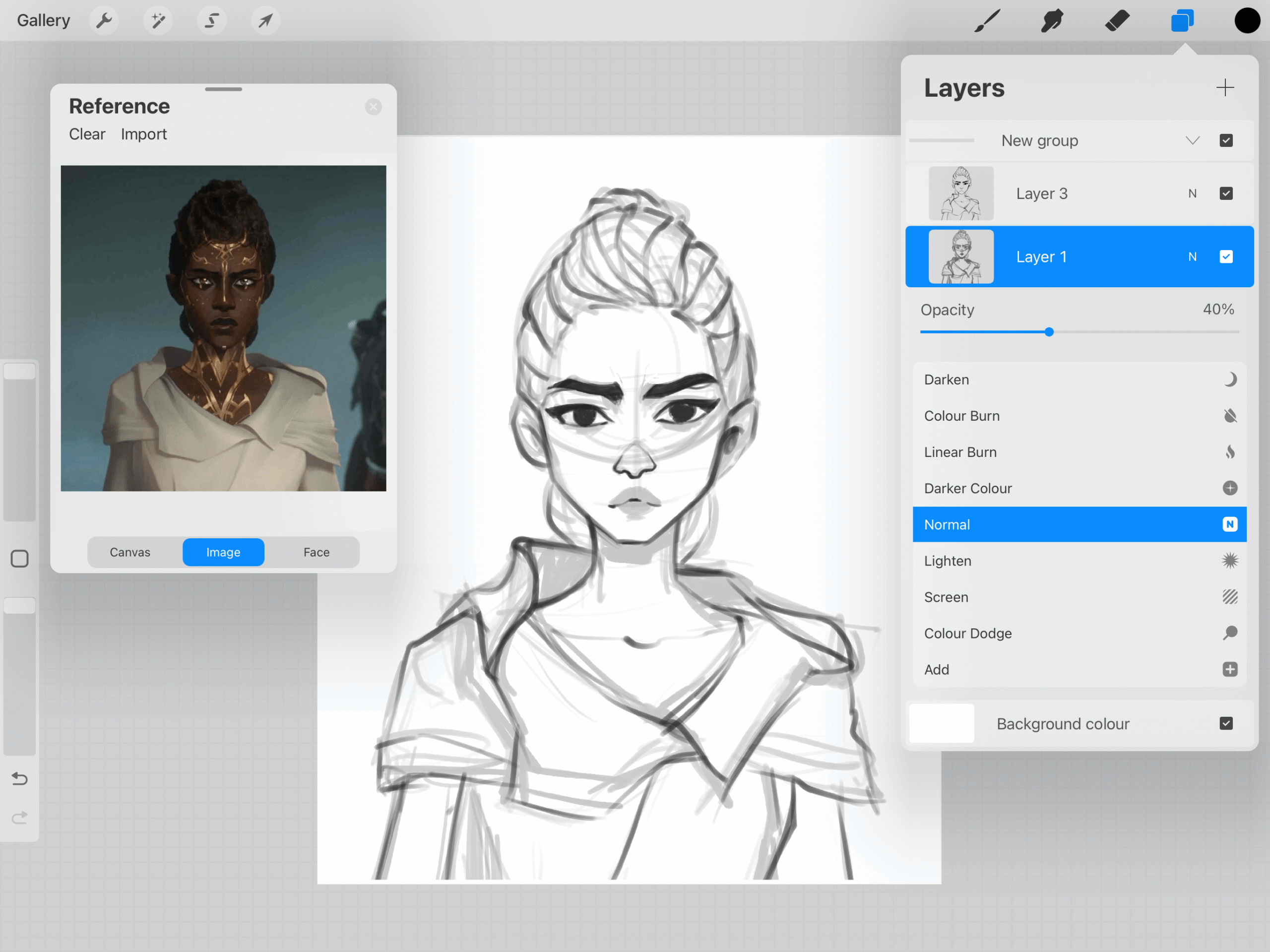
Many beginners jump straight into coloring.
They skip the sketch phase because they think it saves time.
But this often leads to proportion problems and messy compositions.
Why this happens
Beginners feel excited to add colors quickly.
But without structure, the artwork loses balance.
How to fix it
Follow this simple process:
- Start with a loose rough sketch
- Check proportions
- Create a clean line art layer
- Then start coloring
Professional artists spend 30–40% of their time sketching.
If the sketch is strong, the final artwork becomes much easier.
2. Using Too Many Colors
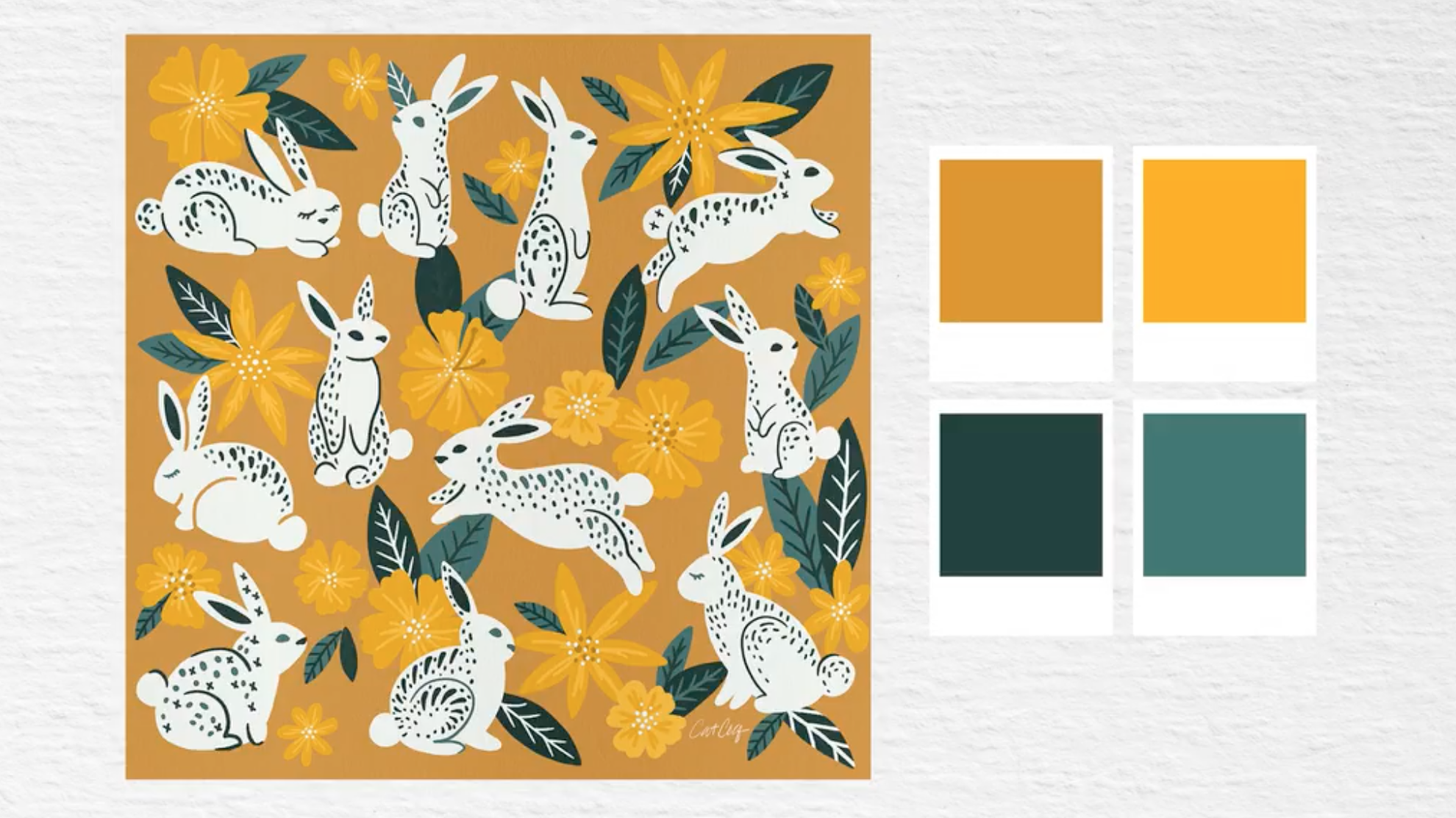
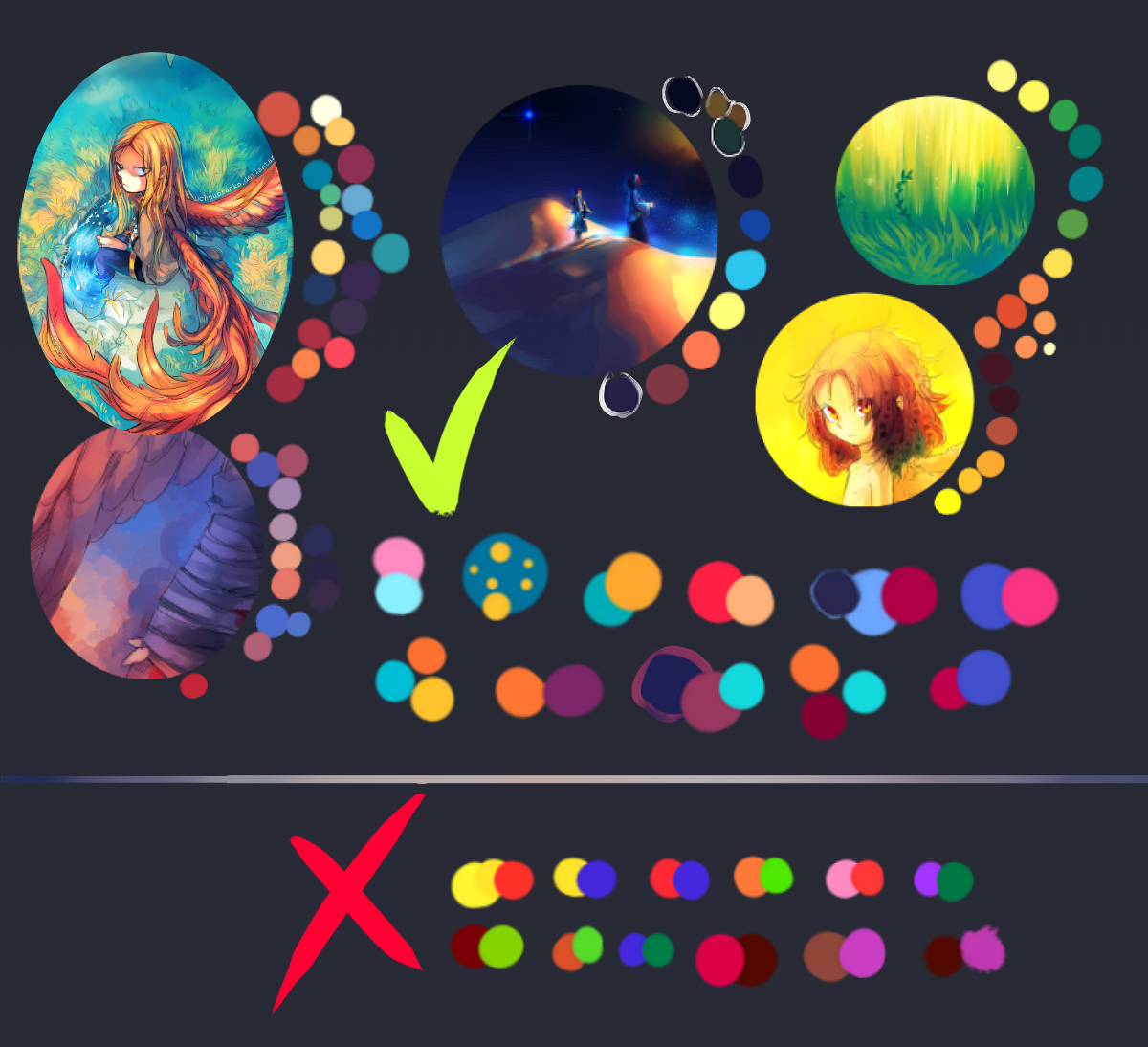


A common digital art mistake is using too many random colors.
The artwork becomes visually confusing.
Example
A beginner portrait might include:
- bright red
- neon green
- purple
- yellow
- blue
All in the same drawing.
This breaks color harmony.
How to fix it
Use the 60-30-10 rule:
- 60% main color
- 30% secondary color
- 10% accent color
Many Indian illustrators follow limited color palettes to create visually appealing art.
Tools like Adobe Color or Coolors.co can help you build balanced palettes.
3. Ignoring Layers
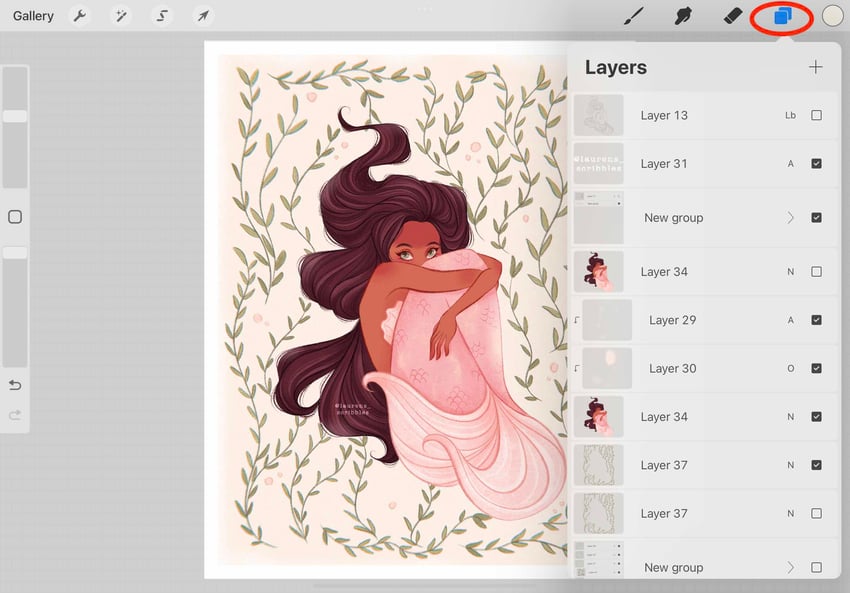
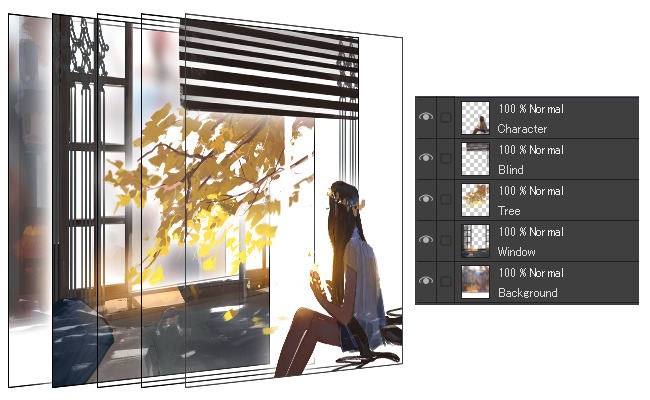
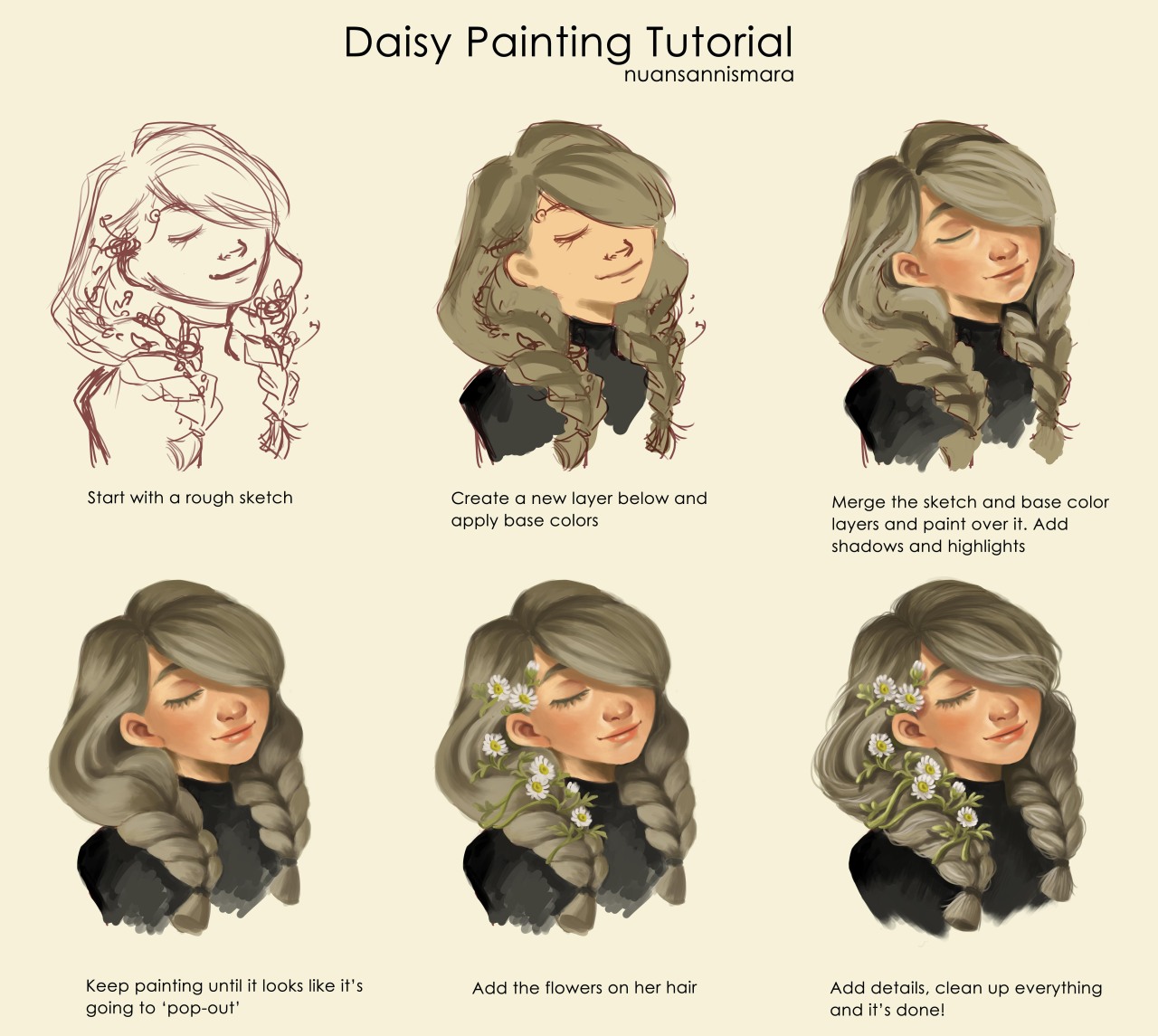
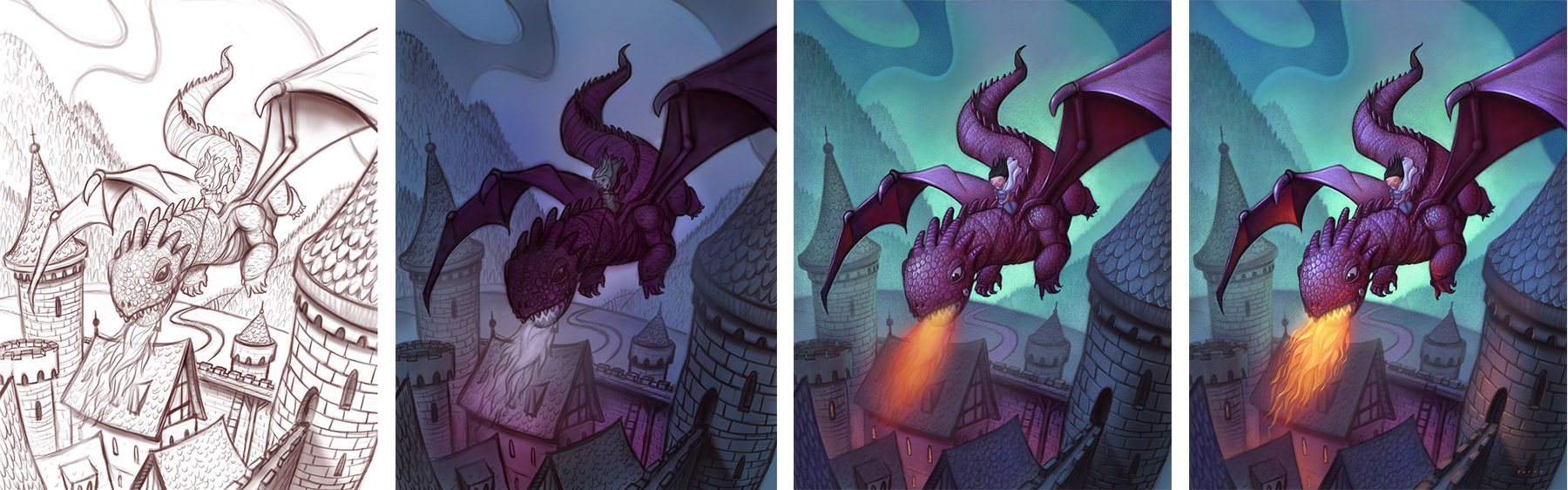
Beginners often draw everything on a single layer.
Later, when they want to edit something, it becomes impossible.
Why layers matter
Layers allow you to:
- edit parts of artwork
- adjust colors easily
- fix mistakes without ruining everything
Simple Layer Structure
Use this structure:
Layer 1 – Sketch
Layer 2 – Line art
Layer 3 – Base colors
Layer 4 – Shadows
Layer 5 – Highlights
This keeps your artwork organized and professional.
4. Overusing Fancy Brushes
Many digital art apps offer hundreds of brushes.
Beginners often believe better brushes mean better art.
This is not true.
Most professional artists use only 3–5 brushes regularly.
Problem
Using too many brushes creates:
- inconsistent textures
- messy edges
- uneven shading
Fix
Start with only three brushes:
- Hard round brush (sketching)
- Soft brush (shading)
- Texture brush (details)
Mastering basic brushes improves control and consistency.
5. Not Understanding Lighting
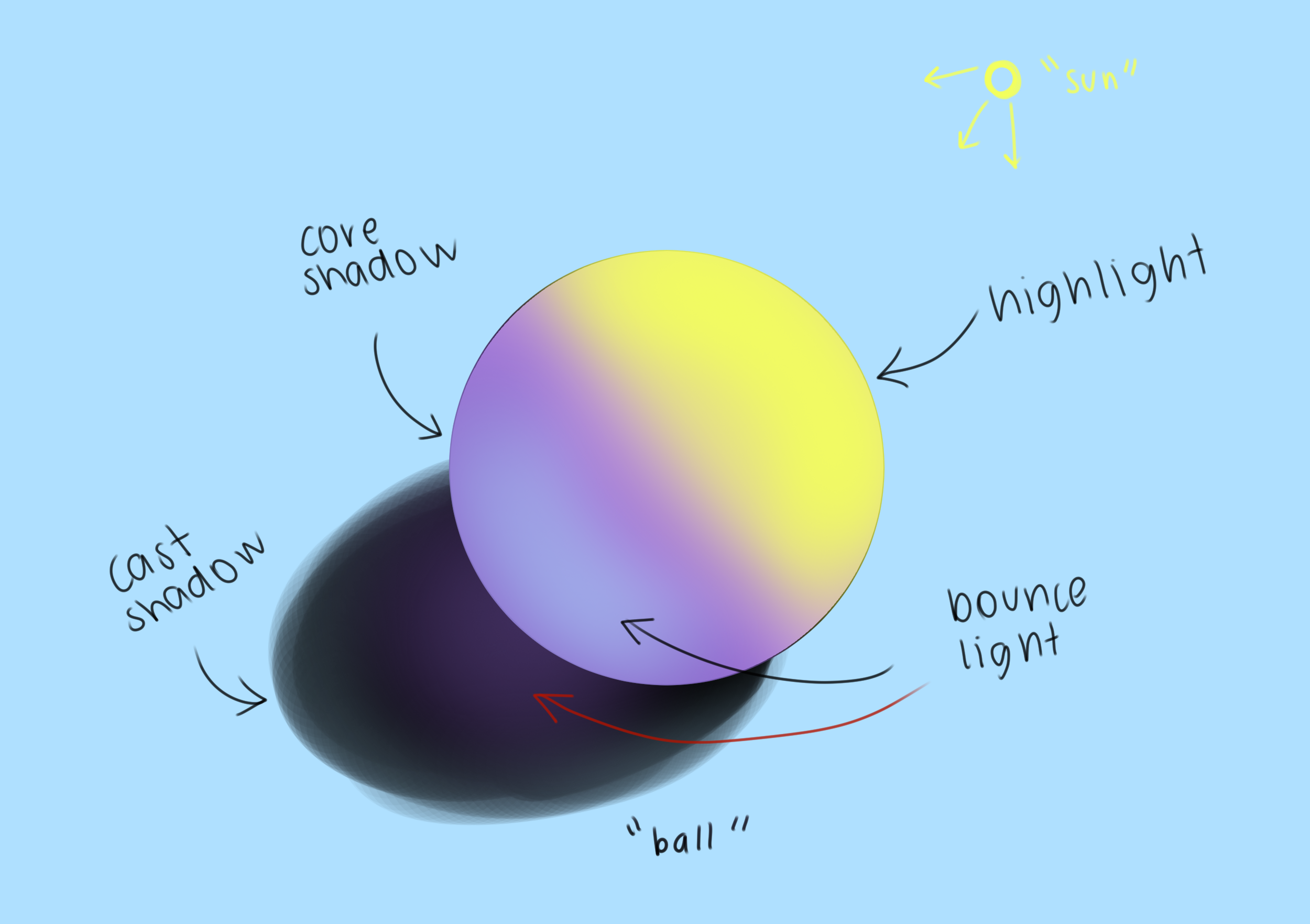
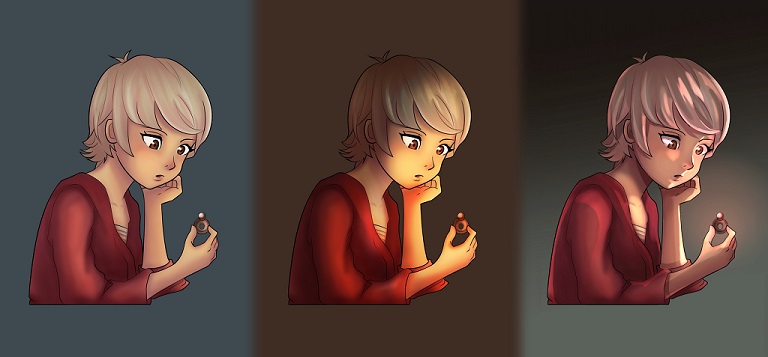

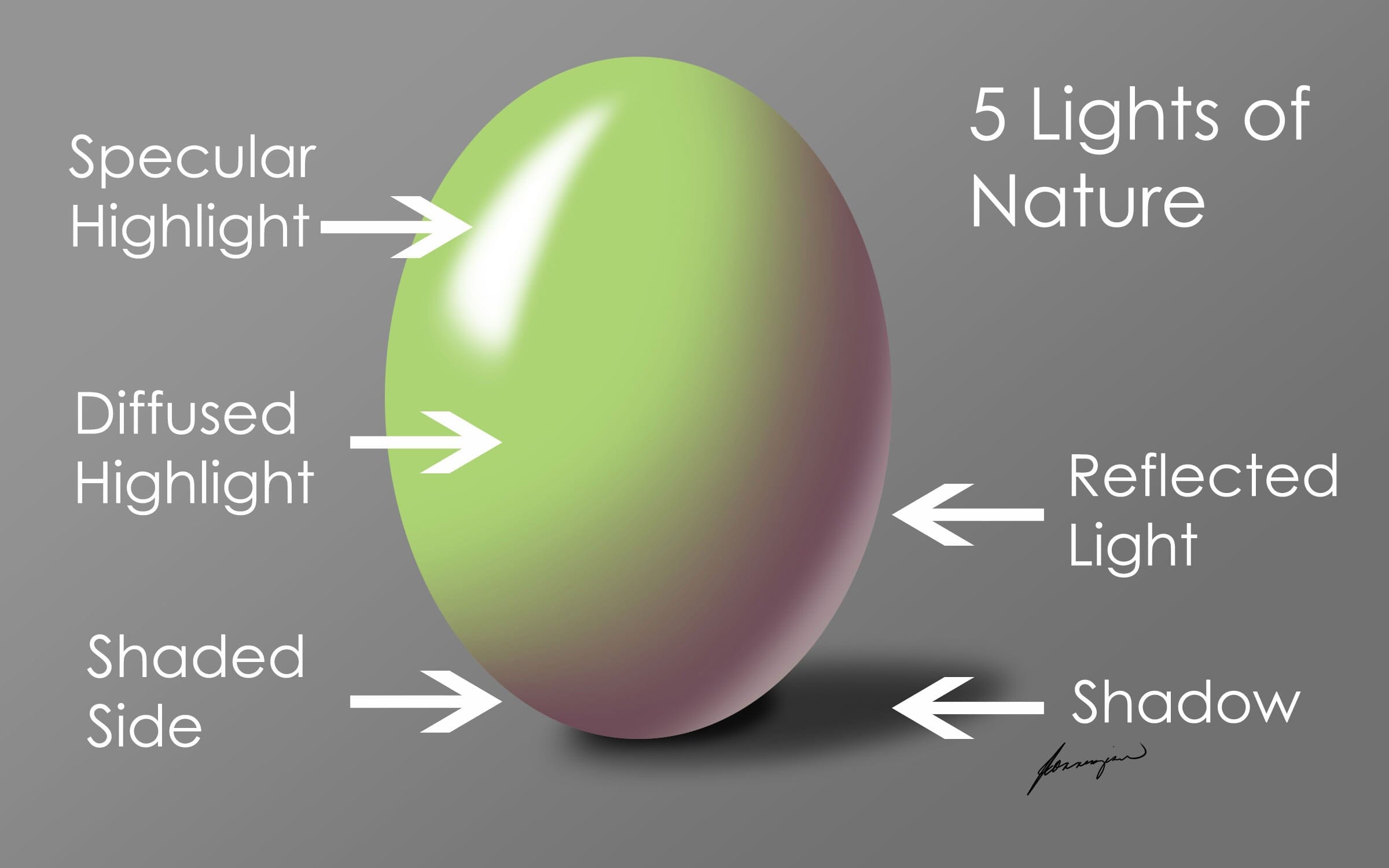
Lighting gives depth to artwork.
Without proper lighting, drawings look flat and unrealistic.
Example
Imagine drawing a face.
If shadows are missing, the face looks like a sticker.
Fix
Always decide one light source before shading.
Example:
Light coming from top left.
Then apply:
- highlights on the light side
- shadows on the opposite side
Practicing simple objects like spheres and cubes improves lighting skills quickly.
6. Zooming Too Much While Drawing
This is a surprisingly common digital art mistake.
Beginners zoom in to 800% or more while drawing tiny details.
When they zoom out, the artwork looks strange.
Why this happens
Details look perfect when zoomed in.
But composition becomes unbalanced.
Fix
Follow this rule:
Work at 50%–100% zoom most of the time.
Zoom in only for small corrections.
This keeps the artwork natural and balanced.
7. Copying Without Understanding
Many beginners copy artwork from Pinterest or Instagram.
Copying can help learning — but blind copying slows growth.
Example
Someone redraws an anime character exactly.
But they don’t understand:
- anatomy
- perspective
- lighting
So they struggle to draw original art later.
Fix
Instead of copying exactly:
- Study the reference
- Understand shapes
- Draw from memory
This builds real artistic skill.
8. Ignoring Basic Anatomy
For character artists, anatomy is crucial.
Many beginners skip anatomy practice.
This leads to:
- awkward poses
- incorrect proportions
- unnatural hands
Fix
Practice simple anatomy exercises:
- gesture drawing
- stick figure poses
- studying real photos
Even 10 minutes daily practice improves anatomy significantly.
9. Not Using References
Some beginners believe using references is cheating.
Professional artists use references all the time.
Example
If you’re drawing:
- animals
- buildings
- hands
- clothing folds
References help capture realism.
Fix
Create a reference folder using:
- Pinterest boards
- photo libraries
- real-world photos
This improves accuracy and creativity.
10. Giving Up Too Early
This is the biggest mistake.
Many beginners compare their art with professional artists online.
They forget one important thing.
Those artists practiced for years.
Even artists like Sona Dubey from ArtbySona improved through consistent practice.
Fix
Follow the 100 artwork rule.
Instead of judging your first drawing…
Focus on completing 100 artworks.
Improvement becomes visible automatically.
Step-by-Step Beginner Digital Art Improvement Plan
If you want to improve quickly, follow this simple routine:
Daily Practice (30–45 minutes)
- 10 minutes sketch practice
- 10 minutes anatomy or shapes
- 10 minutes lighting study
- 15 minutes full drawing
Weekly Challenge
Create one complete artwork every week.
This builds confidence and consistency.
Conclusion: Every Great Digital Artist Was Once a Beginner
No artist starts perfect.
Every professional digital artist once struggled with:
- messy sketches
- confusing colors
- flat shading
The difference between beginners and professionals is consistent improvement.
If you focus on fixing the 10 common digital art mistakes beginners make, your skills will grow much faster.
If you’re new to digital drawing, check our guide on How to Start Digital Art as a Beginner.
You can also explore 11+ Digital Art Tools for Beginners to improve your workflow.
Start with small steps.
Practice daily.
Study lighting, color, and anatomy.
And most importantly — keep creating.
Because every new artwork takes you one step closer to mastery.
Also Read:
- How to Build a Digital Art Portfolio
- Digital Art vs Traditional Art – 2026
- 20 Daily Digital Drawing Prompts
- How to Improve Digital Art Skills Faster
- 10 Beginner Digital Painting Techniques

Sona Dubey is a digital artist with 5+ years of experience in illustration and devotional art. She is the founder of ArtBySona where she shares digital art tutorials, drawing exercises, and beginner-friendly guides to help artists improve their skills.